9 Ways to Master Your Cooktop Timer Settings
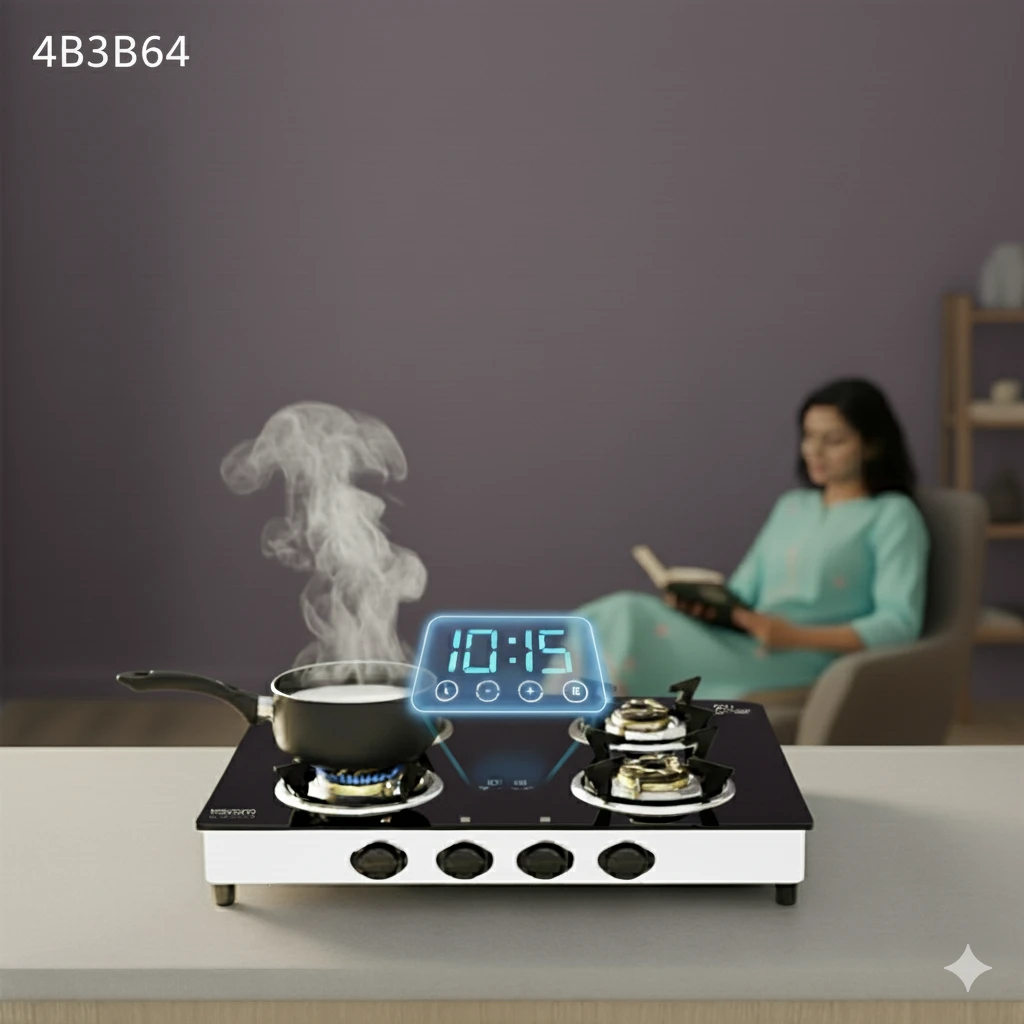
Modern cooking demands precision, and understanding how cooktop timer works can transform your kitchen experience from chaotic to controlled. Whether you're juggling multiple dishes or perfecting a delicate sauce, mastering your cooktop timer settings ensures consistent results while keeping your kitchen safe. Today's cooktops offer sophisticated timing features that go far beyond simple countdown alerts, providing zone-specific controls, automatic shutoff capabilities, and smart integration options that make cooking more efficient and enjoyable.
The cooktop timer function operates through either mechanical or digital countdown systems that track cooking time and provide alerts when preset durations expire. Modern timers use internal clocks that count down from your selected time, triggering audio or visual alerts when reaching zero.
Digital timers feature LCD or LED displays showing remaining time, while mechanical versions use rotating dials with spring-loaded mechanisms. The core components include the countdown system, alert mechanism, and in advanced models, automatic shutoff capabilities that stop heating when time expires.
Safety benefits include preventing overcooking, reducing fire risks, and ensuring food safety compliance. Timer functionality differs from cook time features - basic timers only alert you, while cook time functions automatically shut off the cooktop. This distinction proves crucial for busy kitchens where multitasking is essential.
Different cooktop technologies offer unique timer capabilities designed to match their heating methods and control systems. Understanding these differences helps you maximize your cooktop's potential and choose the right timing approach for each cooking task.
Electric cooktop timer systems typically feature digital displays with zone-specific controls allowing independent timing for each heating element. Touch controls provide precise minute and second adjustments, while some models offer preset cooking times for common tasks.
Gas cooktop timer features often include manual dials or digital displays with flame failure safety integration. These systems monitor gas flow and can shut off supply when timers expire, providing enhanced safety for unattended cooking.
Induction cooktop timer technology offers the most advanced features, including touch controls, multi-zone timing capabilities, and power adjustment integration. These systems can simultaneously time multiple cooking zones while adjusting heat levels automatically.
Mastering how to set cooktop timer functions requires understanding your specific cooktop model and following systematic approaches for different cooking scenarios. Proper setup ensures accurate timing and optimal cooking results.
Begin by identifying your cooktop's timer controls, typically located on the control panel with clock or timer symbols. Most modern units feature separate timer buttons for each cooking zone, allowing independent timing control.
Select your desired cooking zone and press the timer button. Use plus and minus controls to set your desired cooking time, typically adjustable in one-minute increments. Confirm your selection by pressing the timer button again or waiting for automatic confirmation.
For complex meals requiring multiple timers, set each zone independently by selecting the zone first, then programming its timer. Advanced models allow staggered start times, enabling synchronized completion of different dishes.
Most systems allow timer adjustments while cooking by selecting the active zone and using adjustment controls. This flexibility proves essential when recipes require timing modifications based on cooking progress.
Modern cooktop timer settings extend beyond basic countdown functions, offering customization options that enhance cooking precision and kitchen workflow. These advanced features transform your cooktop into a smart cooking assistant.
Professional-grade cooktop with built-in timer systems provide customizable alert tones, volume controls, and visual indicators. Some models offer different alert sounds for each zone, helping identify which dish requires attention in busy kitchens.
Advanced units support sequential timing for multi-stage cooking processes. Program initial high-heat searing followed by lower-temperature simmering, with automatic power adjustments between stages.
Many modern cooktops store frequently used timer settings in memory banks. Save your favorite cooking times for common tasks like boiling pasta, searing steaks, or simmering sauces for one-touch activation.
Premium models connect to smart home systems, enabling voice commands, smartphone notifications, and integration with recipe apps that automatically set appropriate timers based on selected dishes.
When your cooktop timer not working properly, systematic troubleshooting can resolve most issues without professional service. Understanding common problems and their solutions keeps your kitchen running smoothly.
Display problems often result from power fluctuations or control panel malfunctions. Check power connections and reset the unit by unplugging for thirty seconds before reconnecting.
Clean control surfaces with appropriate cleaners, ensuring no moisture or debris interferes with touch sensitivity. Some models require specific touch techniques or longer press durations for activation.
Verify volume settings and alert tone selections in your cooktop's menu system. Some units have separate volume controls for timers versus other functions.
Test auto-shutoff functions with short timer settings to ensure proper operation. If features fail consistently, contact authorized service technicians for safety inspections.
Mastering using cooktop timer techniques for various cooking methods elevates your culinary skills and ensures consistent results. Different cooking styles require specific timing approaches for optimal outcomes.
Professional chefs rely on cooktop timer features to coordinate complex meals, manage multiple cooking stages, and maintain food safety standards. These techniques apply to home kitchens seeking restaurant-quality results.
Long-duration cooking benefits from interval timers that remind you to check progress without constant monitoring. Set initial timers for fifteen-minute intervals, extending as cooking progresses.
Quick searing requires precise timing to achieve proper browning without overcooking. Use short timers with thirty-second intervals for delicate proteins and vegetables.
Coordinate multiple dishes by staggering timer starts based on cooking durations. Begin longest-cooking items first, adding subsequent dishes at calculated intervals for simultaneous completion.
Safety-focused cooktop timer function usage prevents accidents, reduces energy consumption, and protects your investment in quality cookware. Implementing smart timer practices creates a safer, more efficient kitchen environment.
Modern electric cooktop timer systems include safety features like automatic shutoff, child locks, and emergency override capabilities. Understanding these features ensures proper utilization during normal and emergency situations.
Set conservative timer estimates initially, checking progress before timers expire. This approach prevents burning while allowing adjustments based on actual cooking progress.
Accurate timing reduces energy waste by preventing unnecessary heating periods. Use residual heat for final cooking stages by turning off heat sources before timers expire.
Activate child safety locks that prevent timer modifications during cooking. Some models require adult override codes to change timer settings once activated.
Familiarize yourself with emergency shutoff procedures that bypass timer functions. Most units feature manual override switches or button combinations for immediate shutdown.
Induction cooktop timers provide zone-specific countdown timing with digital displays and touch controls, allowing simultaneous timing of multiple cooking zones for enhanced precision and safety. Advanced models include automatic power adjustment and sequential timing capabilities.
Cook time features automatically shut off the cooktop when time expires, while basic timers only provide alerts without stopping the cooking process. Cook time functions offer enhanced safety by eliminating heat sources when timing completes.
Kitchen timers use countdown mechanisms, either mechanical springs or digital clocks, that alert users when preset cooking times are reached. Advanced models offer auto-shutoff capabilities, zone-specific controls, and smart home integration features.
Proper timer usage prevents overcooking, reduces fire risks, saves energy, and ensures consistent cooking results across all cooktop types. Timers also help maintain food safety by preventing undercooking and bacterial growth.
Most modern cooktops support independent timer settings for each cooking zone, allowing simultaneous timing of multiple dishes. This feature proves essential for complex meal preparation and professional cooking techniques.
First check power connections and reset the unit by unplugging for thirty seconds. Clean control surfaces and verify settings in the menu system. If problems persist, contact authorized service technicians for professional diagnosis.
Mastering how cooktop timer works transforms your cooking experience from stressful to streamlined. Understanding the differences between basic timers and advanced cook time functions helps you choose appropriate settings for each cooking task. Whether using gas, electric, or induction cooktops, proper timer utilization enhances safety, improves cooking results, and maximizes energy efficiency.
Remember that timer mastery requires practice and familiarity with your specific cooktop model. Start with simple timing tasks and gradually incorporate advanced features like sequential programming and multi-zone coordination. Regular maintenance of timer controls and understanding troubleshooting procedures ensures reliable performance when you need it most. With these nine techniques, your cooktop timer becomes an invaluable cooking companion that elevates every meal preparation experience.