Cooktop Timer Guide: Everything You Need to Know
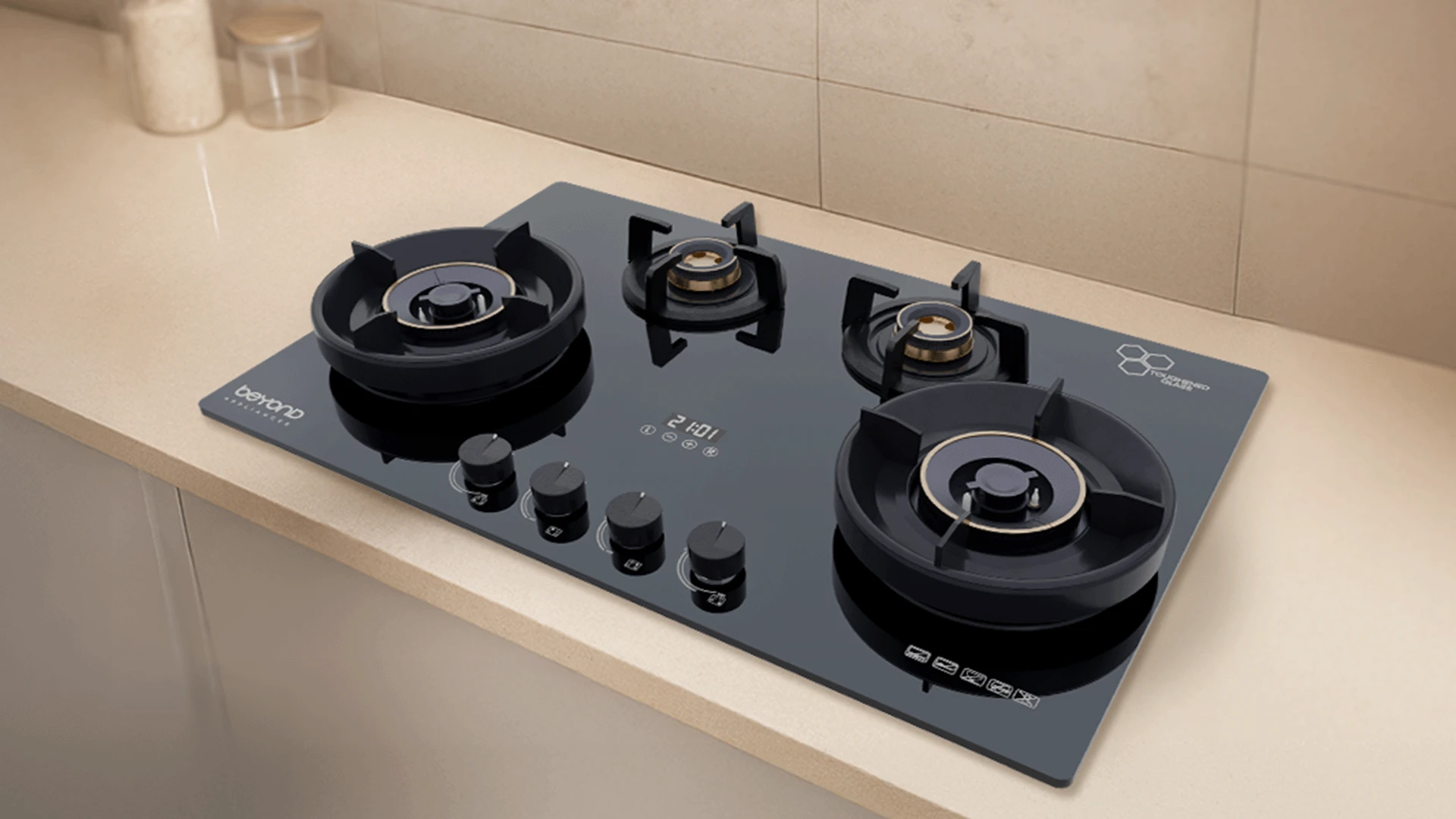
Modern kitchens demand smart solutions that make cooking safer and more efficient. The timer function cooktop has become an essential feature for busy homemakers who juggle multiple tasks while preparing meals. Whether you're simmering a delicate sauce or boiling pasta, having precise timing control prevents overcooking and ensures perfect results every time. Smart timer features also provide peace of mind through automatic shut-off capabilities, making your kitchen safer for the entire family.
A cooktop timer is an integrated timing system that allows you to set specific cooking durations for each burner or cooking zone. Unlike standalone kitchen timers, these built-in systems can automatically control heat levels and even shut off the cooktop when time expires. The safety benefits are remarkable. Cooktop auto shut off prevents accidents caused by forgotten pots and pans. This feature is especially valuable for busy mothers managing household tasks while cooking. The timer also prevents overcooking, which saves both food and energy costs. For efficiency, timer functions enable perfect multitasking. You can start one dish, set the timer, and focus on preparing other meal components. This coordination makes complex meal preparation much more manageable. Energy savings come from precise cooking control - no more leaving burners on longer than necessary.
Different cooktop technologies offer varying timer capabilities. Understanding these differences helps you choose the right appliance for your cooking style and kitchen needs.
Induction cooktop timer systems provide the most precise control available. Digital displays show exact countdown times for each cooking zone. Touch controls make setting times quick and intuitive, even with wet hands during cooking. Zone-specific timing means you can set different durations for multiple pots simultaneously. The system automatically adjusts power levels as time progresses, ensuring consistent cooking results.
Electric cooktop timer options range from basic mechanical dials to sophisticated digital systems. Mechanical timers offer simple, reliable operation but limited precision. Digital versions provide exact minute control and clear visual feedback. Heat level coordination ensures the timer works with your chosen temperature settings. Safety shut-off mechanisms prevent overheating and potential fire hazards.
Smart cooktop timer features represent the latest in kitchen technology. App connectivity allows remote monitoring and control from anywhere in your home. Voice activation compatibility works with popular smart home systems. Programmable cooktop options include pre-set cooking modes for common dishes. These intelligent systems learn your cooking patterns and suggest optimal timing for different recipes.
Mastering your using timer function cooktop requires understanding the specific controls and sequences for your appliance type. Each system has unique operating procedures, but the basic principles remain consistent across all models.
Start by powering on your cooktop and selecting the desired cooking zone. Most induction models require you to place cookware on the zone before timer activation. Press the timer button, then use the plus and minus controls to set your desired duration. The digital display shows countdown progress clearly. Many models emit gentle beeps at regular intervals to remind you of active timers. When time expires, the zone automatically shuts off or reduces to a keep-warm setting.
Electric cooktop timers typically require setting the heat level first, then activating the timer function. Mechanical dial timers need manual turning to the desired duration. Digital versions use button controls similar to induction models. Coordinate your heat settings with timer duration for optimal results. Lower heat settings work well with longer timer periods, while high heat requires shorter, more attentive timing.
Smart cooktops often require initial setup through companion apps. Download the manufacturer's app and follow pairing instructions. Once connected, you can create custom timer presets for frequently cooked dishes. The kitchen timer cooktop integration allows voice commands through smart speakers. Simply say "Set pasta timer for eight minutes" and the system responds automatically.
Modern cooktop with timer feature systems include sophisticated safety mechanisms that protect your home and family. Automatic power reduction gradually decreases heat as cooking time progresses, preventing burning while maintaining proper cooking temperatures. Emergency shut-off capabilities activate if the timer malfunctions or if excessive heat is detected. Child lock integration prevents accidental timer changes during cooking. These safety features make timer-equipped cooktops ideal for families with young children. Overheating protection protocols monitor surface temperatures continuously. If temperatures exceed safe limits, the system automatically shuts down affected zones and displays warning messages.
Effective timer use transforms your cooking experience from stressful to streamlined. Strategic timing coordination allows you to prepare complex meals with confidence and precision.
Coordinating multiple cooking zones requires planning your timing sequence. Start longer-cooking items first, then add quick-cooking components at calculated intervals. This staggered approach ensures everything finishes simultaneously. Priority cooking sequence planning helps manage limited cooktop space effectively. Use timer functions to rotate between different cooking stages, maximizing your available cooking zones.
Efficient cooking timer use involves matching timing precision to cooking methods. Delicate sauces need short, frequent timer intervals. Slow-simmering dishes benefit from longer timer periods with automatic heat reduction. Batch cooking optimization uses timer functions to prepare multiple portions efficiently. Set consistent timing for similar items to ensure uniform results across all batches.
First, place your cookware on the desired zone and press the power button. Select the cooking zone, adjust heat level, then press the timer button. Use the plus/minus controls to set your desired duration and press start to begin countdown.
Cooktop timers integrate directly with your cooking surface and can automatically control heat levels or shut off burners. Regular kitchen timers only provide audio alerts without controlling the actual cooking process.
Turn the burner to your desired heat setting first. Locate the timer controls (usually digital buttons or a mechanical dial). Set your desired time duration and activate the timer. The system will alert you when time expires.
Pasta cooking, rice preparation, sauce reduction, and any recipe requiring precise timing benefit greatly. Timer functions are especially valuable for dishes that can overcook quickly or require unattended simmering.
Most modern cooktops allow individual timer settings for each cooking zone. You can typically run 2-4 separate timers simultaneously, depending on your cooktop's zone configuration.
Most cooktop timers allow settings from 1 minute to 99 minutes. Some advanced models offer up to 9 hours and 59 minutes for slow-cooking applications, though safety features may limit extended timing.
Timer function cooktops revolutionize kitchen efficiency and safety. Whether you choose induction, electric, or smart timer systems, these features provide precise cooking control and peace of mind. Master the basic operations, explore advanced safety features, and develop timing strategies that match your cooking style. With proper timer use, you'll achieve consistent results while reducing kitchen stress and improving overall cooking efficiency.